Service defaults
Readings, dosages, checklist items, rates and photo requirements defined once, inherited by every route.
Brushler runs your routes, records the work in full — readings, dosages, checklist, photos, time on site — then shows you the margin on every single visit. Not a guess at the end of the month. The number, per stop.
iOS, Android and web · QuickBooks Online integration available · Your data exportable at any time
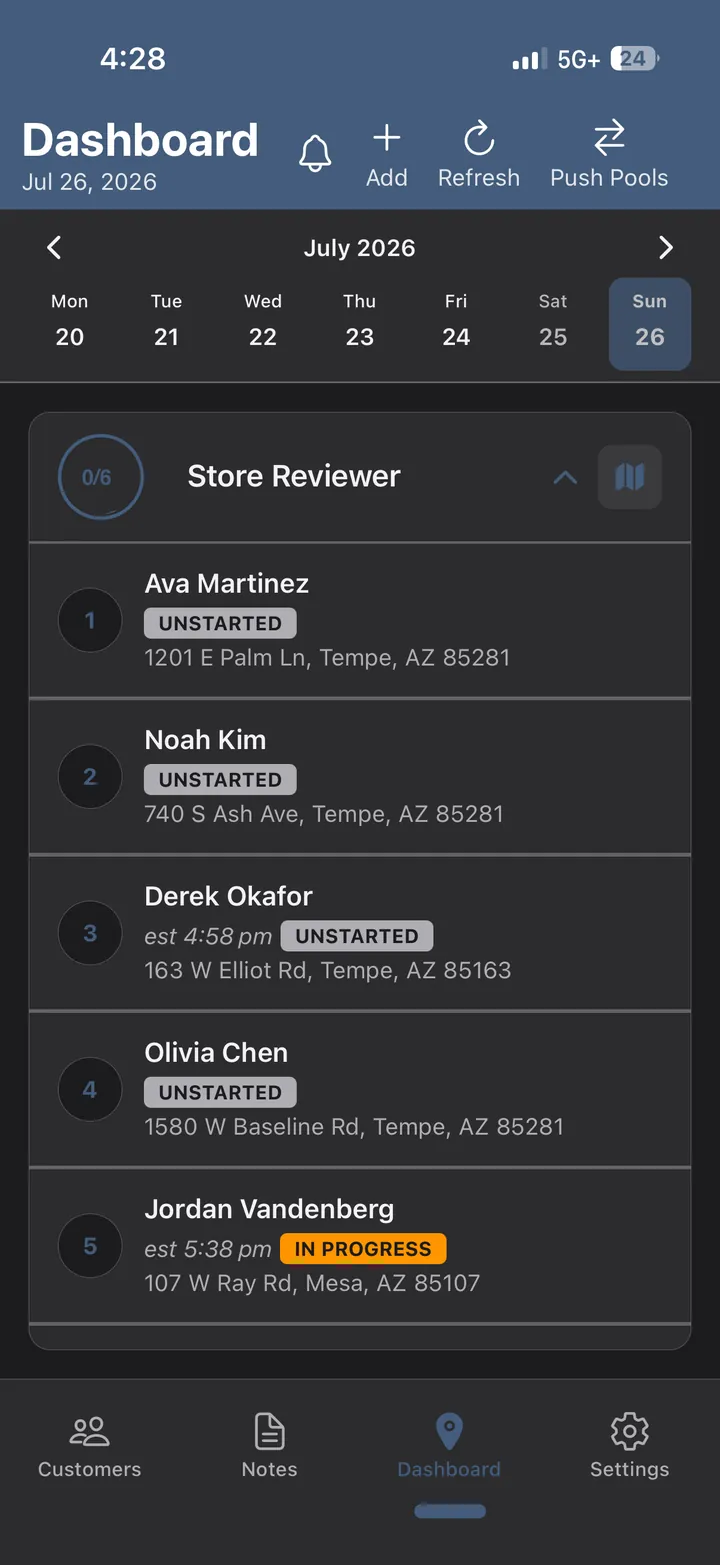
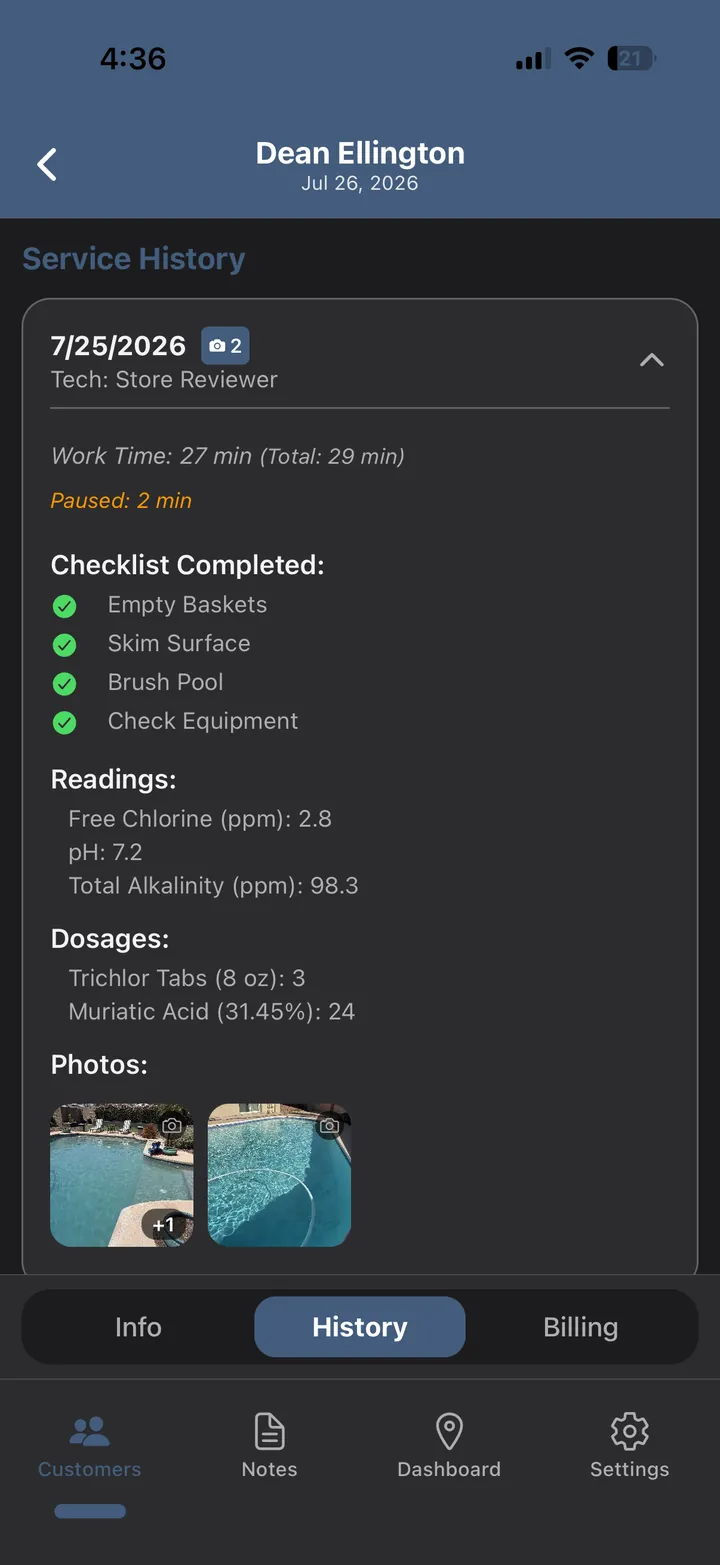
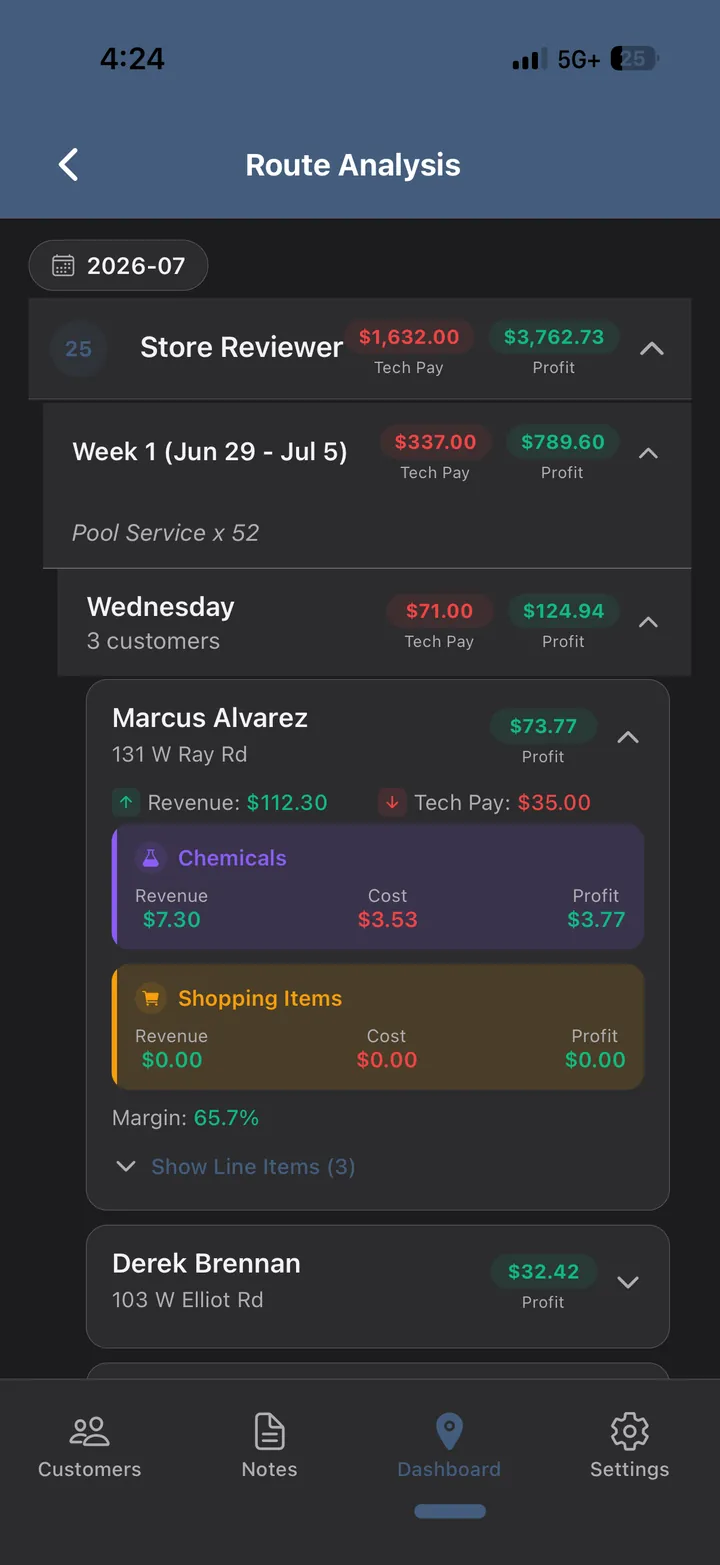
That’s a working dashboard beside this, not a picture of one. Grab the highlighted stop and pull it: left opens the full walkthrough of every screen in the app, right gets you booked in. Or just use these:
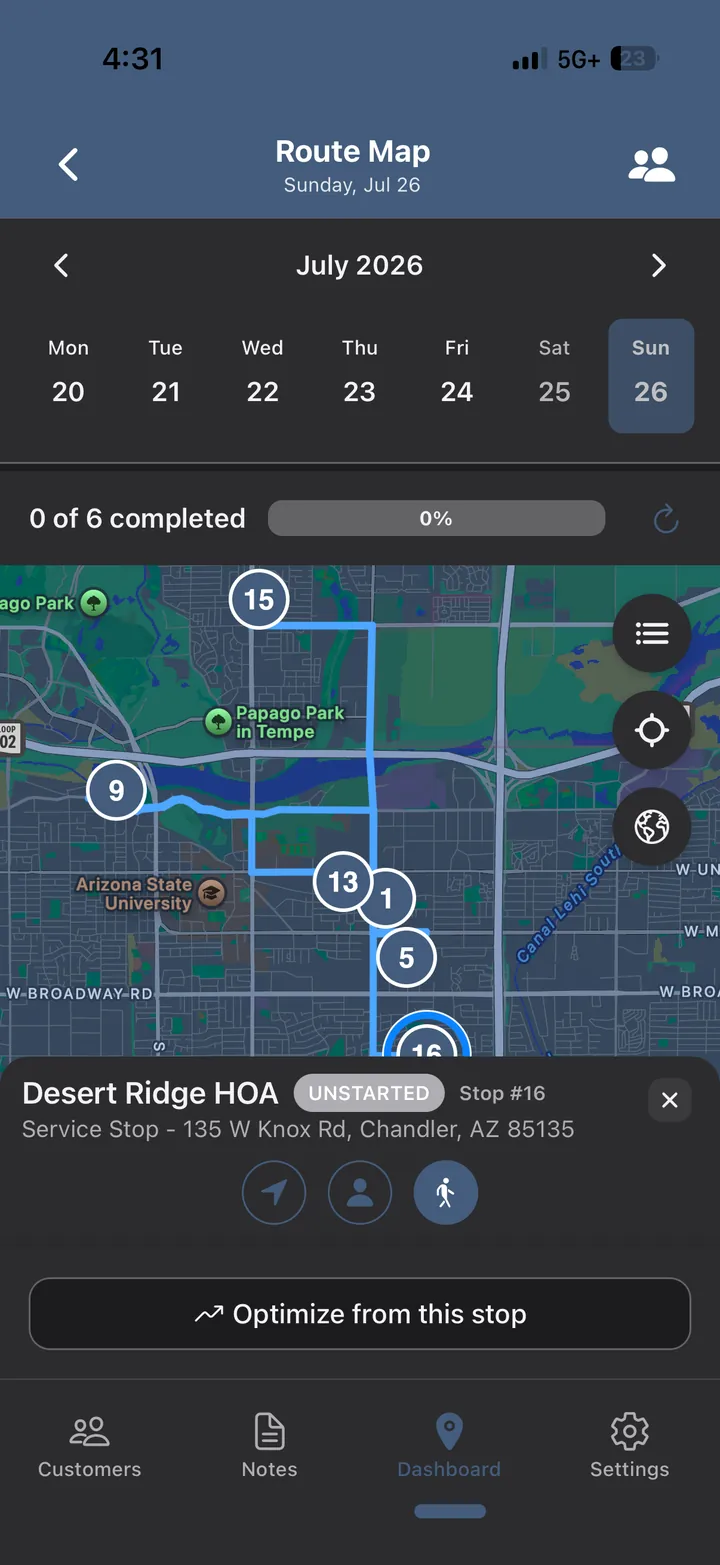
Every stop on the map, numbered in the order they'll be hit. Optimize from wherever the truck actually is right now — not from the depot at 6am, which is a route nobody drives. Hand a route to a covering tech and it still makes sense.
Software that only pleases the office gets quietly ignored in the field. Software that only pleases the field never tells you whether you made any money. This is built for both ends of the same company.
The bar is simple: it has to be faster than the clipboard it replaced, or they'll go back to the clipboard.
The bar is different: it has to tell you things you can act on, and it has to make the money side smaller.
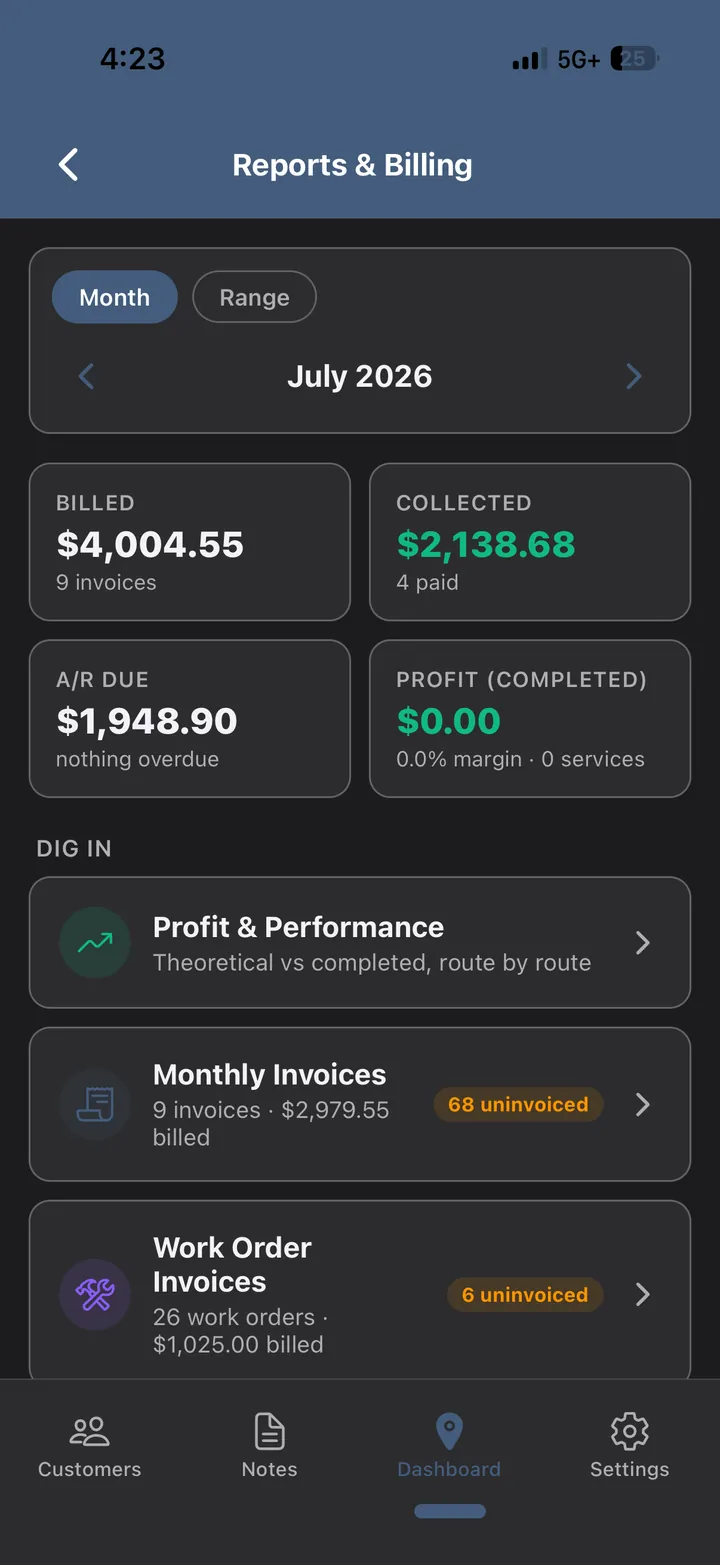
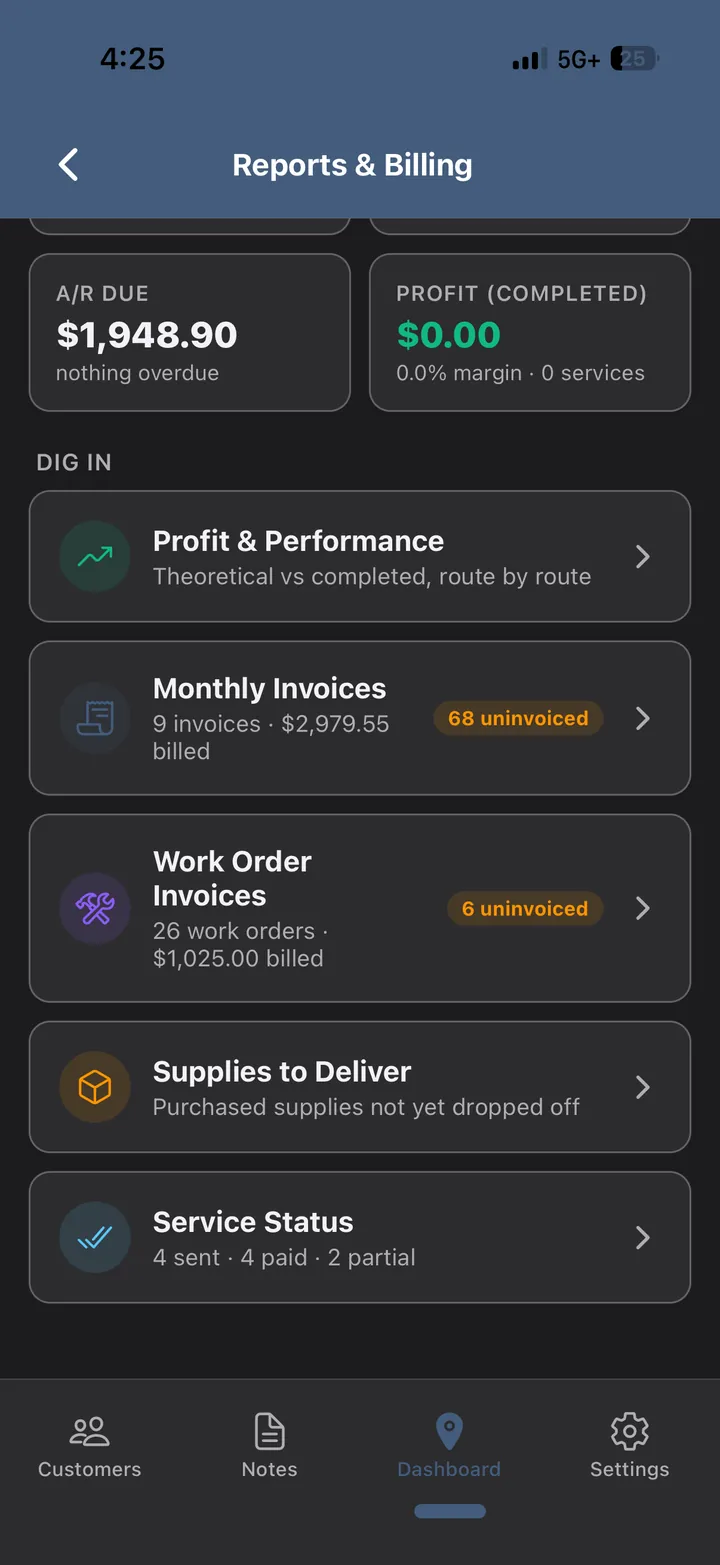
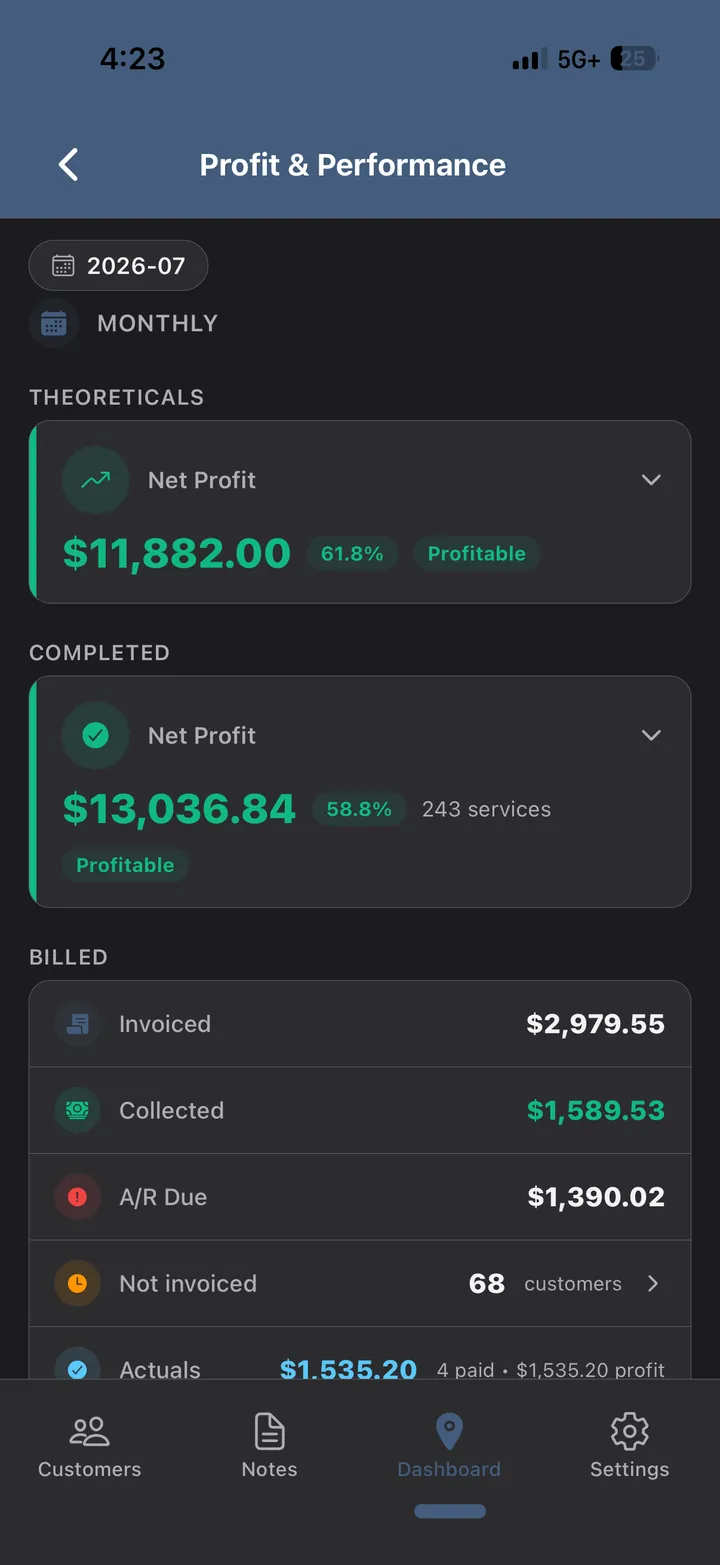
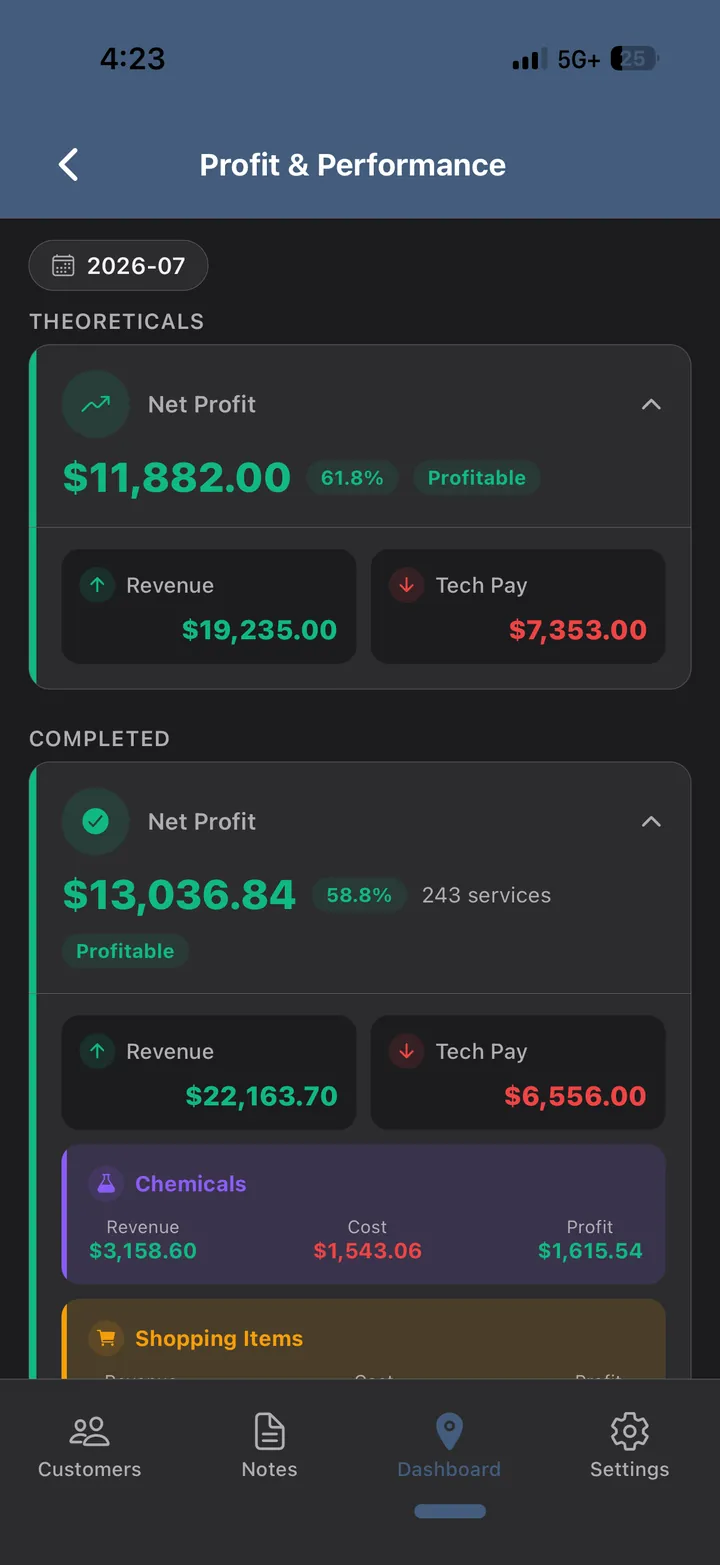
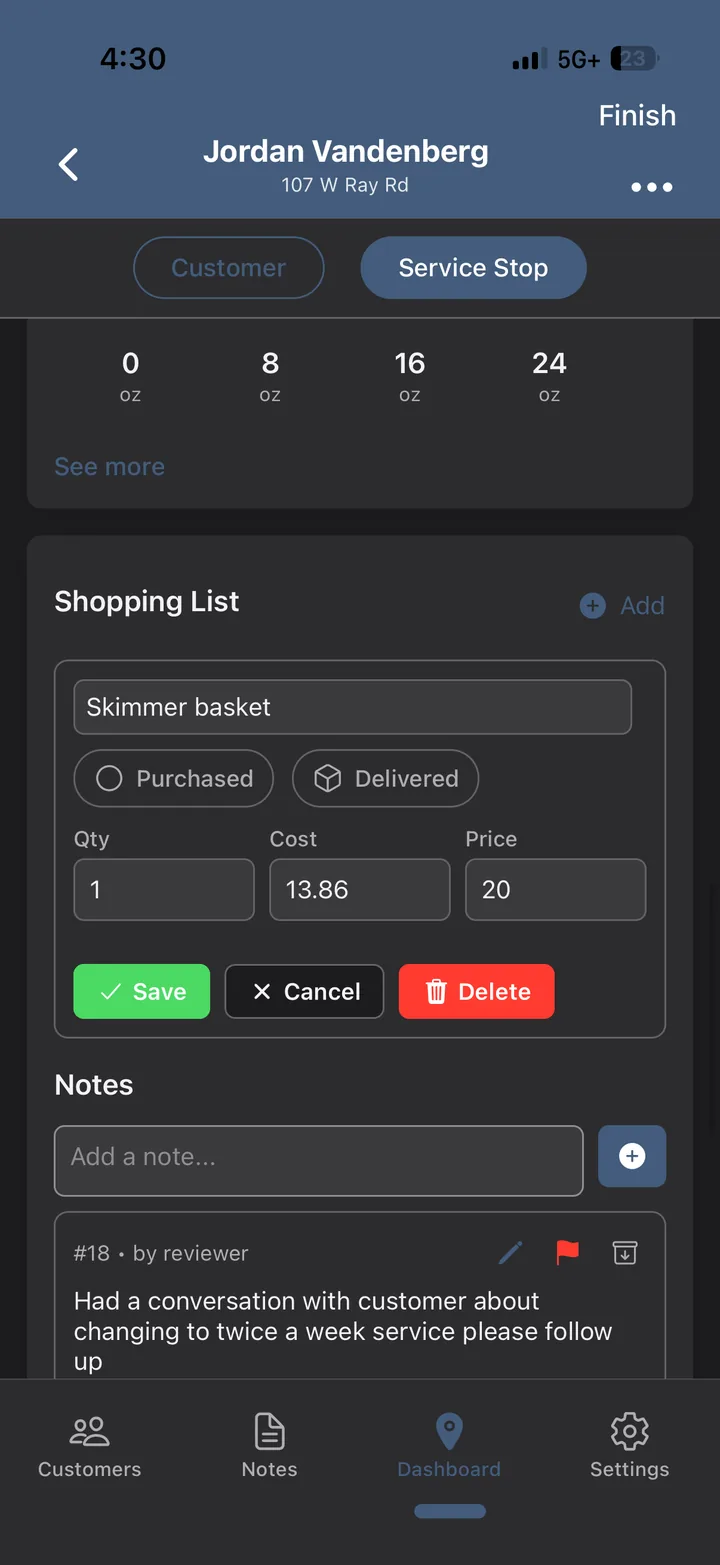
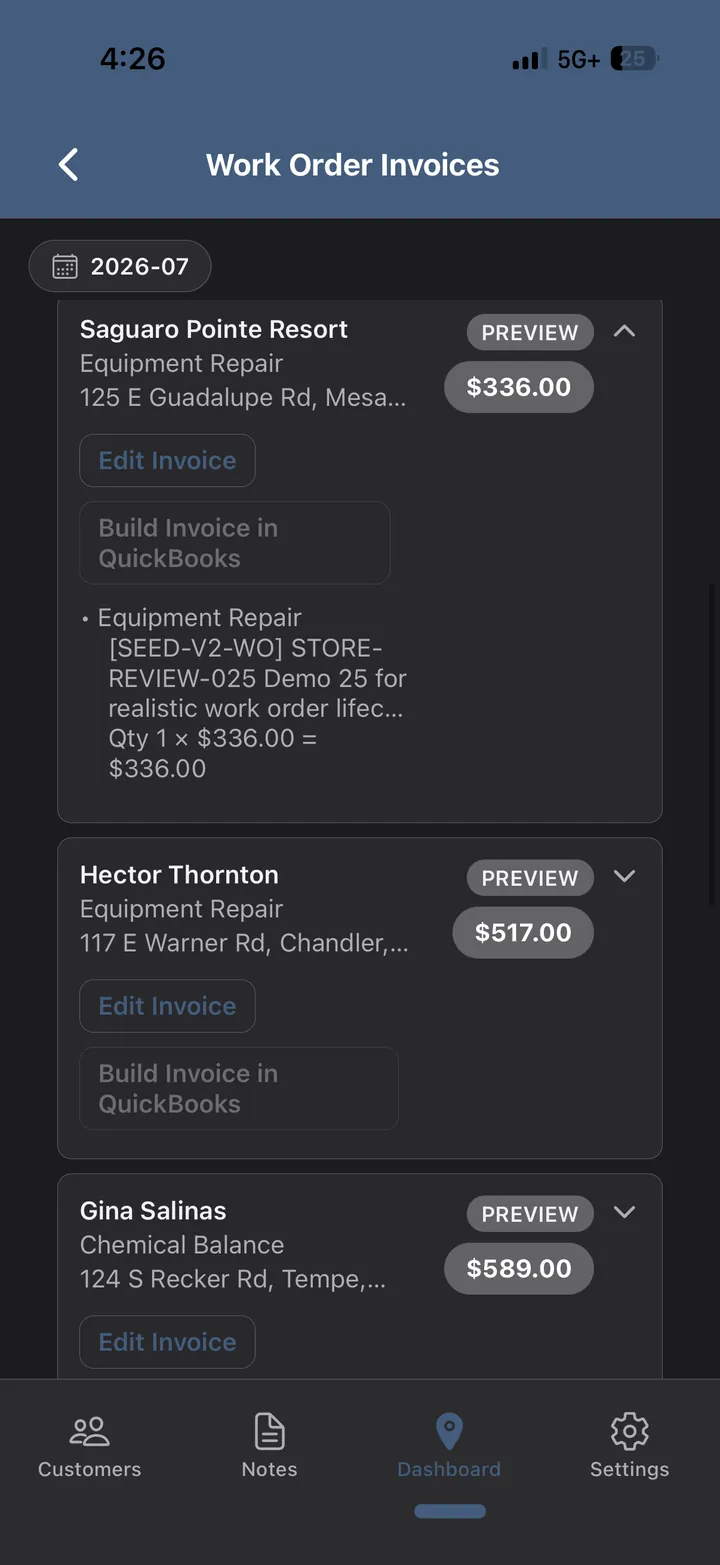
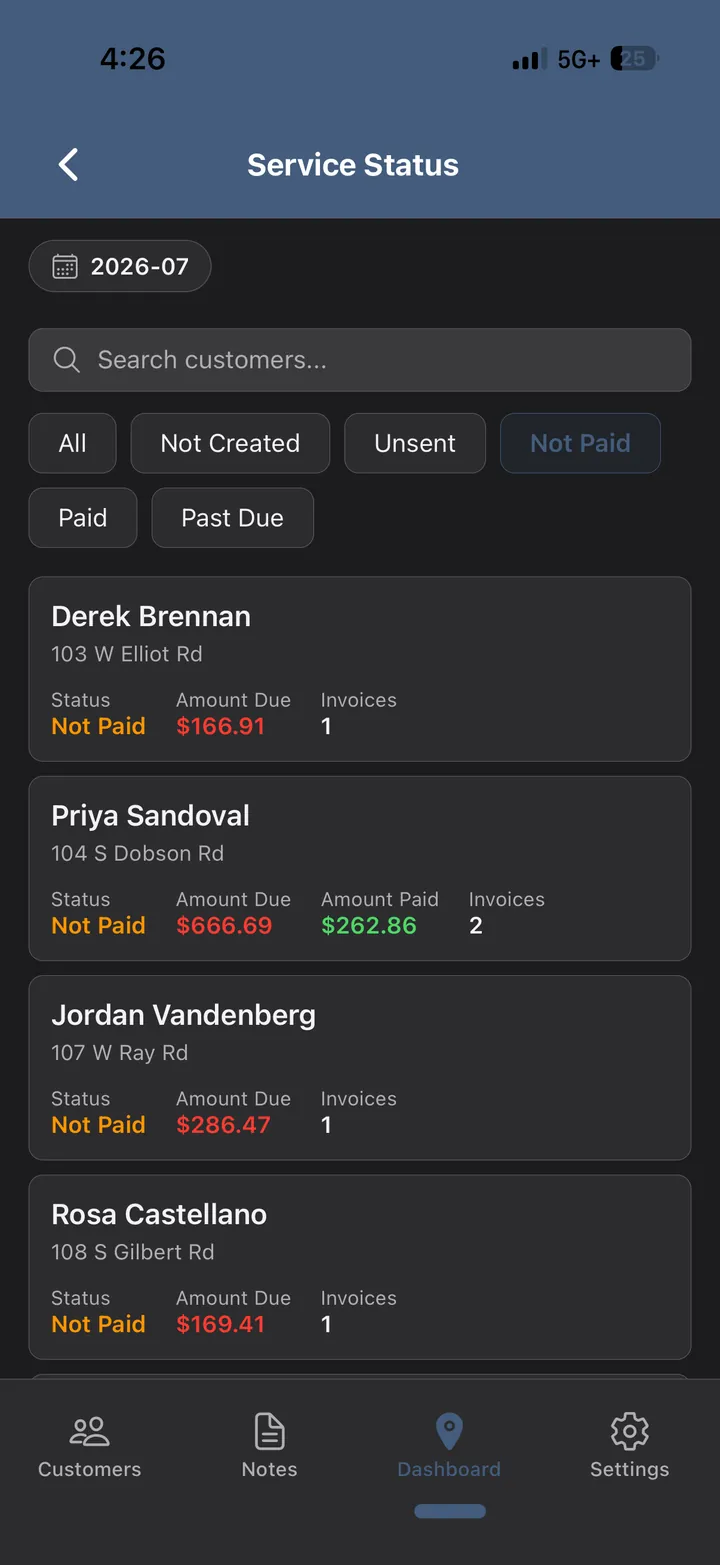
Every visit, part, work order and invoice lands in one system, so the month closes itself. Billed against collected against still owed. Work you have already done surfaced while you can still bill it. Supplies bought but not yet dropped off, tracked until they are.
Underneath it are the numbers that let you grow on purpose — revenue, technician pay, chemical cost and parts, per stop and per route, theoretical against what actually happened. You add a truck because a route earns it, not because the phone kept ringing.
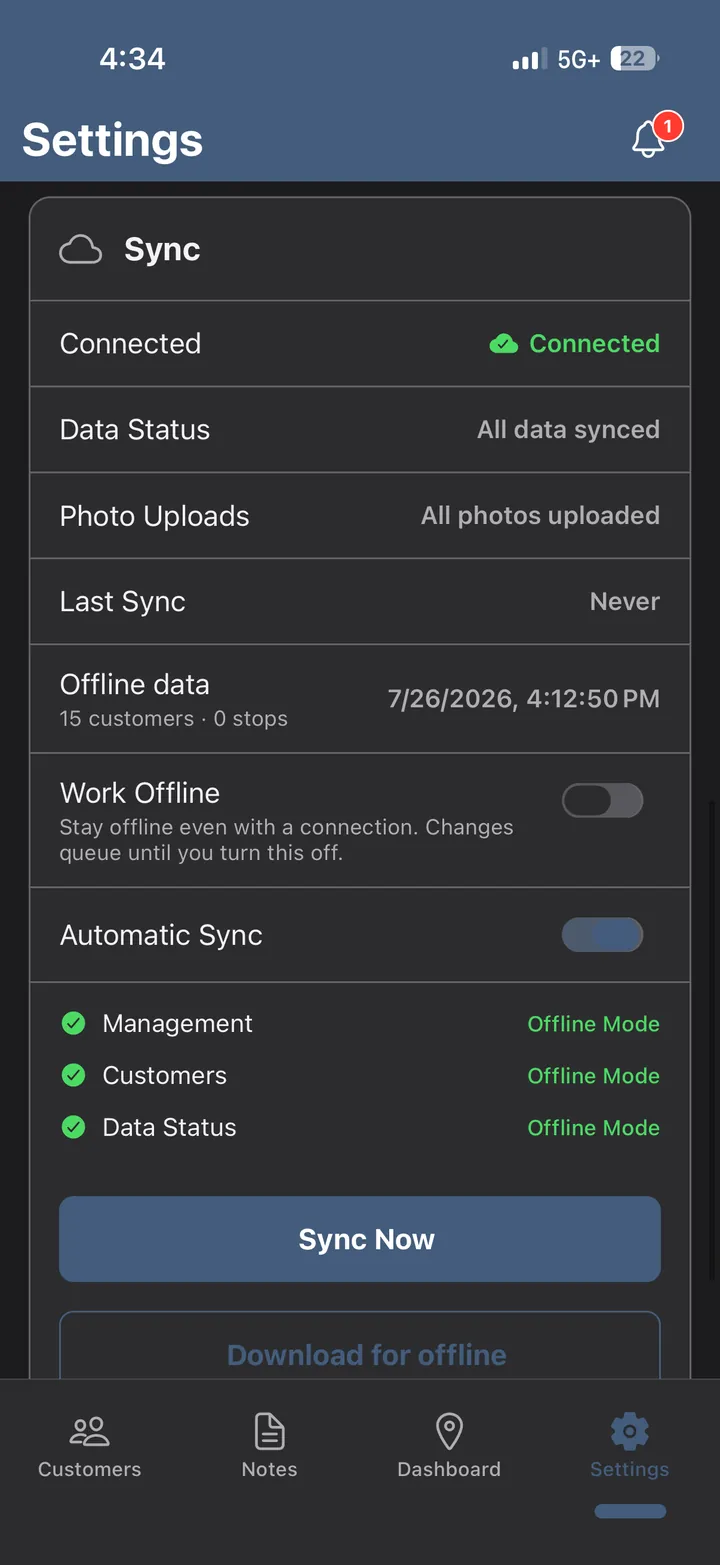
Half the pools in this business sit behind a house, under a canopy, in a dead zone. Brushler keeps working — stops, readings, dosages, photos, notes — and syncs the moment there's a bar again. The tech never sees a spinner and never loses an entry.
You can also switch offline mode on deliberately before a route you know is bad, and queue the whole day.
Two things in this business don’t tolerate a casual vendor: the money, and the record of what was actually done. Neither one runs on trust here. They run on constraints — and most of them you can check yourself.
An invoice you send is created in QuickBooks Online first — its QuickBooks ID is its identity — and QuickBooks’ own totals and balance are read back onto the record. Brushler never overrules your accounting system’s arithmetic. Payment status arrives on signature-verified notifications and is kept in its own field, so a sync can’t paper over a cash payment you took at the pool.
A billing run skips any customer whose period already carries a live invoice, and every invoice goes to QuickBooks with a deterministic key — so a run that dies halfway retries onto the original instead of raising a second one. If one customer fails, the invoices already created stay created, and the re-run picks up where it stopped.
Corrections are appended, never overwritten: who edited it, when, and the before and after of every field, kept in that visit’s history. Times, technician and customer can’t be edited at all. And nothing is deleted — a log filed in error is voided with a written reason and stays on file. That is what makes it evidence in a dispute instead of your word against theirs.
Double-tap Finish, or let a queued offline sync replay a completion, and you still get exactly one record — a unique index in Postgres refuses the duplicate rather than relying on the app to remember. Voiding a visit releases the slot, so a stop can be deliberately redone without stacking a second record on top.
Separation is enforced by PostgreSQL row-level security, not only by application code, and the app connects with a database role that cannot bypass those policies. Every request is pinned to one company before a single query runs. If a table ever lost its policy, the server refuses to start rather than serve a page that might leak.
Most companies start with one route and keep their current software running for a cycle. Your customers and your complete service history download as CSV from Settings whenever you want — no ticket, no queue, no one to ask. The terms say plainly that we never take ownership of your data.
Brushler, LLC is an Arizona company on the public record — AZCC file 25098774 — and the person who built this software runs a pool route with it. The terms and privacy policy are published in full, not summarised.
The flows above are the daily loop. This is the rest of the software — the parts you set up once and then stop thinking about.
Pool, spa, water feature — serviced, measured and dosed separately at the same address, on the same stop, with their own readings history and their own chemical cost.
Monthly, per-stop, calendar month or four-week anchored. Upfront or end-of-month. Prorate the final bill or don't. Set it per customer when one insists on being different.
Readings, dosages, checklist items, rates and photo requirements defined once, inherited by every route.
Technician, manager, admin — with per-capability control over who edits routes, corrects logs, or sees money.
Parts requested from the stop, tracked to purchased and delivered, and costed into the job's margin.
Per customer, per stop, per work order — the gate code, the dog's name, which neighbour has the key.
Work order created, updated, completed, cancelled. Service reminders. Billing runs. Each one individually switchable.
Customers and service history from Excel or CSV, with validation and a dry run before anything commits.
Full CSV of customers and chronological service logs, on demand. Your data stays yours, and leaving is a download.
Holidays, vacations, one-off moves. Change a week without breaking the recurring pattern behind it.
Per-stop pay tracked alongside revenue, so labour is inside the margin rather than in a separate spreadsheet.
Pool software mostly agrees on the basics — routes, stops, invoices. These are the places where Brushler is genuinely a different product, not a differently-priced one.
| Brushler | Typical alternative | |
|---|---|---|
| Profit per stop and per routeAfter tech pay, chemicals and parts | Built in, on every route | Revenue reporting; true cost usually lives in your accountant's file |
| Complete service recordTime, checklist, readings, dosages and photos as one artifact | Every visit, always | Available, often split across screens or higher plans |
| Offline in the fieldIncluding photo capture and upload | Full offline queue and sync | Varies; frequently read-only or partial |
| QuickBooks OnlineInvoices, item mapping, deposits | Integration available | Integration available |
| SupportWhen something needs answering | Direct line to the team that builds it | Tiered queue, plan-dependent |
| Data portabilityGetting your book back out | Full CSV export on demand, no request needed | Export on request, sometimes chargeable |
Every screen on this page is the running product, captured from a live account — not a mockup or a render. The data in them is a demo company, so no real customer details are shown.
With one route rather than the whole book, and often with their current software still running alongside for a cycle. Your data exports to CSV whenever you want it, so moving on is always a download and never a negotiation.
Yes. Export customers and service history from your current software as Excel or CSV and import them with a validation pass and a dry run. You'll see exactly what's going to land before it lands.
QuickBooks Online — invoices, item mapping, tax codes and deposit handling. You connect it once from settings. Desktop isn't supported.
The app keeps working. Stops, readings, dosages, notes and photos queue locally and sync when signal returns. You can also switch offline mode on deliberately before a route you know is bad.
Pricing depends on how many pools you service, and we'd rather quote it against your actual book than publish a number that's wrong for you. Ask on the walkthrough and you'll get it in plain terms, in writing.
You should never be in a position where that question can hurt you, and the design reflects it. Your invoices, payments and balances live in your own QuickBooks account, which you keep either way — Brushler writes to it, it isn’t stored here instead of there. Your customers and your full service history download as CSV from Settings at any time, and taking that download once a month is sensible practice with any vendor, us included. Most companies also keep their existing software running through the first cycle, so the fallback is the thing they were already using.
Tenant isolation is enforced by the database with row-level security, not only by application code — so a bug in a screen can't leak another company's book. Photos are stored separately and served through authenticated links.
Tell us how you’re set up and we’ll show you the parts that matter for a book your size — not a generic demo. Most walkthroughs take about twenty minutes.
The tour is every screen in the app, in the order the work happens — no sign-up, no email gate.
Prefer email? contact@brushler.com · Brushler, LLC · Arizona